

Schedule a configuration via the API
Attach one or more cron schedules to any configuration, or to a single configuration row, through the Scheduler API: create a keboola.scheduler configuration, then activate it.
The UI lets you schedule a flow. The API lets you schedule any
configuration, including a single configuration row, and attach several schedules
to one configuration. A schedule is a configuration of the keboola.scheduler component that you
create in Storage and then activate through the Scheduler API.
1. Find what to run
Section titled “1. Find what to run”Run the configuration once by hand and open the successful job. Its detail lists the target the schedule needs:
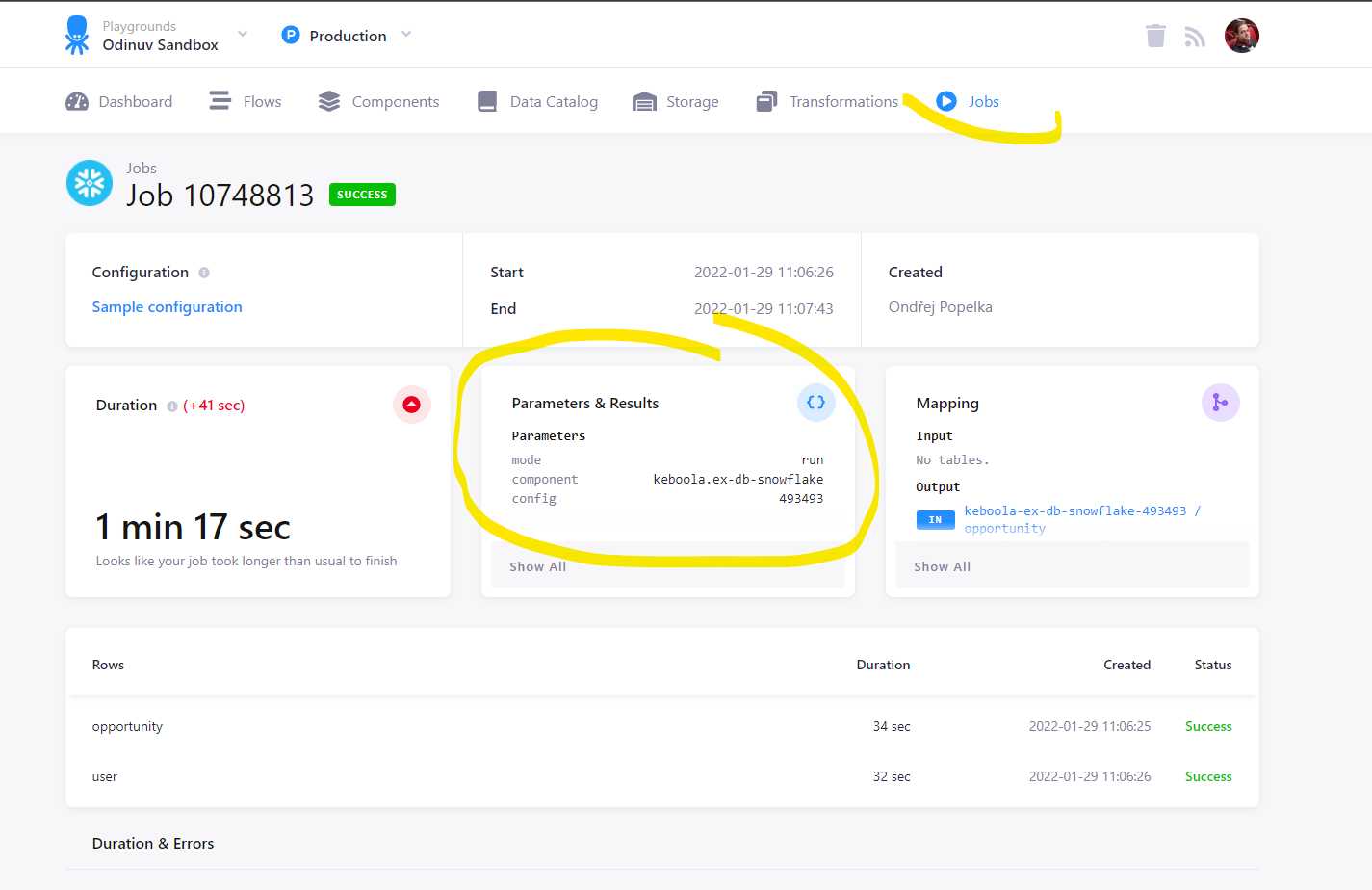
mode: runcomponent: keboola.ex-db-snowflakeconfig: 4934932. Create the schedule configuration
Section titled “2. Create the schedule configuration”Create a configuration of keboola.scheduler with
POST /v2/storage/components/keboola.scheduler/configs.
schedule.cronTab is a cron expression, schedule.timezone a
time zone name, schedule.state either enabled or disabled. target names the configuration to
run and the mode.
curl --location --request POST 'https://connection.keboola.com/v2/storage/components/keboola.scheduler/configs/' \--header 'X-StorageApi-Token: YOUR_TOKEN' \--form 'name="Example Schedule"' \--form 'configuration="{ \"schedule\": { \"cronTab\": \"0 * * * *\", \"timezone\": \"UTC\", \"state\": \"enabled\" }, \"target\": { \"componentId\": \"keboola.ex-db-snowflake\", \"configurationId\": \"493493\", \"mode\": \"run\" }}"'Use the connection endpoint of your stack; a wrong endpoint
or token answers with Invalid access token. The response is the new configuration; you need its
id (10850624 in this example) for the next step.
To schedule a single row of a configuration with
configuration rows, add configurationRowIds to the target:
{ "schedule": { "cronTab": "10,20,30,40,50 * * * *", "timezone": "UTC", "state": "enabled" }, "target": { "componentId": "keboola.ex-db-snowflake", "configurationId": "493493", "configurationRowIds": ["48094"], "mode": "run" }}3. Activate the schedule
Section titled “3. Activate the schedule”A stored scheduler configuration does nothing until you activate it with POST /schedules on the Scheduler service, passing the configuration ID from step 2:
curl --location --request POST 'https://scheduler.keboola.com/schedules' \--header 'X-StorageApi-Token: YOUR_TOKEN' \--header 'Content-Type: application/json' \--data-raw '{ "configurationId": "10850624"}'The Scheduler runs at scheduler.<your stack's domain>, for example
https://scheduler.eu-central-1.keboola.com on EU Frankfurt AWS. The
service index of your stack lists the exact URL.
Several schedules on one configuration
Section titled “Several schedules on one configuration”Repeat steps 2 and 3 with another scheduler configuration. Activating both examples above runs
configuration 493493 at the start of every hour and its row 48094 every ten minutes on top of
that. GET /schedules
lists what is active; each item shows its schedule, its target and the configurationId it
was activated from.